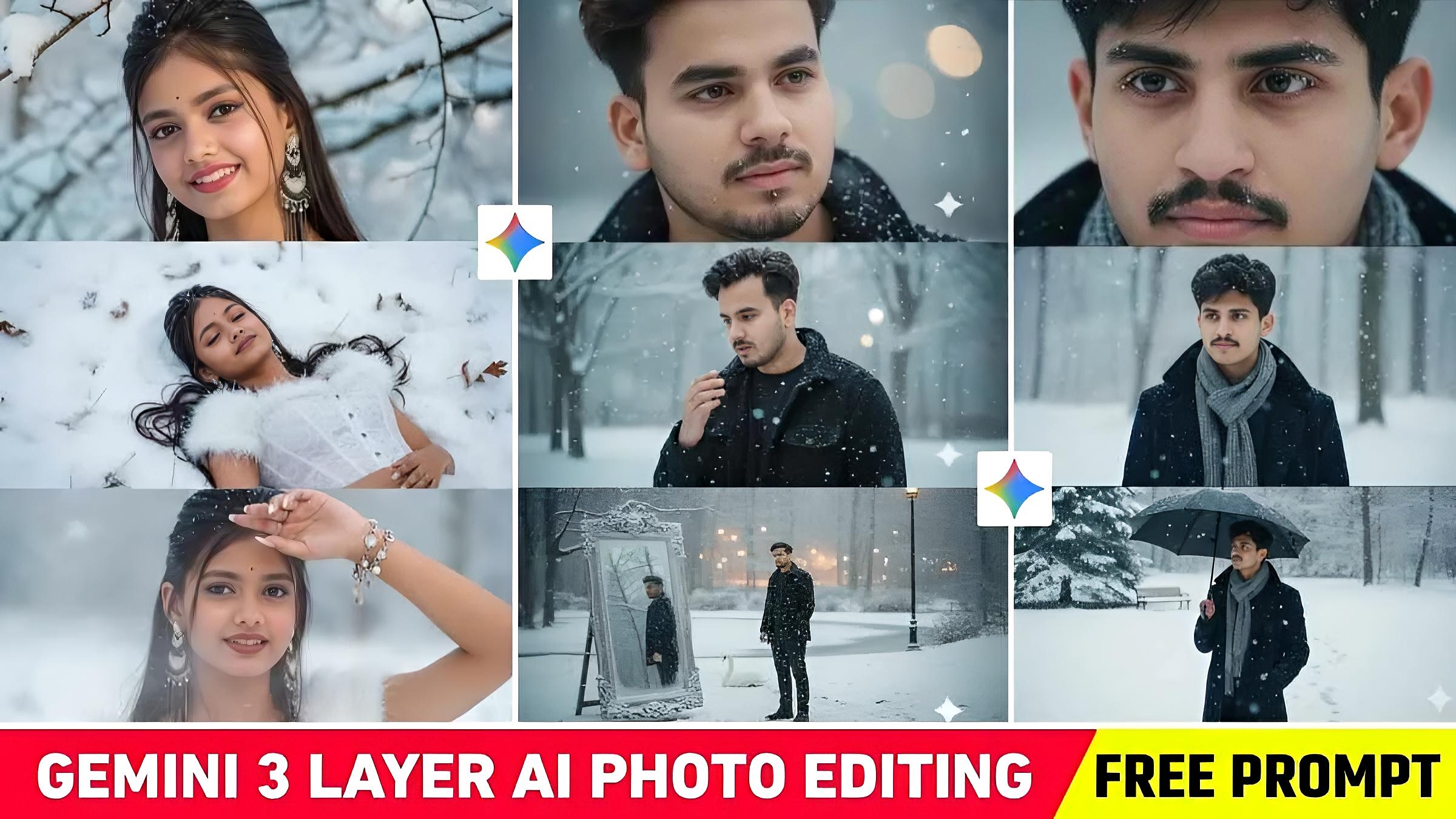
Google Gemini 3 Layer Snowfall Ai Photo Editing Prompt 2025 – So, my friends, a new Ai photo editing trend has emerged on Instagram, which you may have noticed just a few days ago. People are currently enjoying 3 Layer photo editing. Many people know it as 3 Layer snowfall photo editing because it depicts scenes of winter. In this, three different versions of the same face are created, and you won’t believe it. Currently, these types of photos are going viral all over social media, whether it’s YouTube or Instagram. You can create a photo like this simply with a selfie, as we’ve seen all these photos are being created using Google Gemini AI. Therefore, this article is about 3-layer snowfall Ai photo editing, where we’ll provide you with plenty of prompts to create such a photo.
Google Gemini 3 Layer Snowfall Ai Photo Editing Prompt
All the three-layer photo editing you’ve done is part of a viral winter aesthetic trend. Three things are common in these: cinematic winter mood, emotional storytelling shots, and a mix of portrait and landscape. In such viral photos, we saw 3 – 4 different mood frames of the same person being shown in collage or carousel form. This trend feels exactly like a movie scene. This photo went viral because each frame feels emotional and cinematic. People are taking more interest in storytelling photos than static portraits. And it’s also winter right now. That’s why soft natural light with snowfall has become the most trending visual style. In this article, we’ve explained the entire process for creating such a photo, including what type of photo to use, and the prompts we’ll provide. We’ve discussed everything in all paragraphs.
Identical face shape, eyes, nose, lips, ears, and hairstyle from the uploaded man. Create a 9:16 vertical cinematic composite photo divided into 3 stacked frames showing the same man in a winter snow scene. The atmosphere is emotional, calm, slightly dramatic like a moment from a Korean romance film. Top frame (close-up macro): tight shot of her eye and cheek. Snowflakes delicately cling to both upper and lower.
Use the uploaded face exactly as it is, with the same hair, expression, and structure. Bright Y2K makeup with long natural lashes, black eyeliner, raised brows, strong contour and blush, highlighter, and matte brown full lips. Long baby-boomer nails, matching earrings, multiple rings, and a charm bracelet. A cinematic Y2K winter composition showing her upper face in soft winter sunlight through snowy branches, then her lying on a snow-covered meadow in a white lace corset with light fur details eyes closed with a slight smile and snowflakes on her hair and lashes and finally a close-up of her looking into the camera with one hand shielding the pale winter sun, melting snowflakes on her skin and soft cold breath visible.
Ultra-realistic use my face as a male model cinematic winter portrait collage arranged in three horizontal panels stacked vertically, featuring the same man in a snowy mountain landscape at twilight. The top panel shows an upper-body back view of the man standing in an open snowy area, facing distant mountains under a deep blue evening sky. Midel panel face and last panel man camp fire. he wears a black winter coat covered in snowflakes, and his dark hair is visible, slightly tousled by the cold
A vertical collage with two frames, photos stacked with no gaps or rounded corners, featuring my face from the reference in both images. Top frame: 30% height, super close-up at eye level, the eyes and brows only, ultra-high detail, white soft fur winter hat, natural bright lighting, softly blurred snowy editonal background, Bottom frame, 70% height, camera at waist level shooting from below, the model (with my reference face) we
Generate a realistic 3-layout collage photo in a snowy winter setting. Use the boy’s face from the reference photo exactly as it is (same facial features and expression). In the first layout, show a close-up of his face wearing a fluffy off-white teddy coat hood, with snowflakes on his eyelashes and hair, soft natural blush on his cheeks, and gentle natural winter light. In the second layout, show him from behind wearing the same teddy coat, standing near a frozen lake with snowy mountains and a small wooden cabin in the background. Keep the atmosphere cinematic, soft, dreamy, high-resolution, and in cool winter tones.
Use Google Gemini 3 Layer Snowfall Ai Photo Editing
In this paragraph, you’ll learn how to create a photo using any type of Google Gemini-related prompt. In paragraphs three and four, we’ve shown you all the viral images and their corresponding prompts. Now let us know step by step how to create a completely original image using any prompt along with your photo in Google Gemini.
- Once the Google Gemini website opens you need to select the “Create Image” option.
- You will see a plus icon at the bottom. Click on it in the left corner and then click on upload file.
- Now add a picture from your gallery in which your face is clearly visible.
- Paste the prompt that you copied into the message box.
- Now you will see a send icon in the right corner click on it.
- Please wait a moment.
- After waiting for a while your photo will be created.
- Click on your photo and then click on the small download icon at the top to save the photo.
Why Are These Google Gemini 3 Layer Snowfall Ai Photo Editing Going Viral On Social Media?
We already told you. The only reason for such photos going viral is that in all these photos we see emotional, aesthetic and film-like presentation. In these photos mostly three things are common – close-up emotional portraits, medium winter outfit shots. Secondly, to create a three-layer photo like this, we used to have to first take three or four different photos. Earlier, making this college-frame photo with an editing app was very tough. But now, with the help of a selfie, we can create such a photo with three different faces. Additionally, this trend is being replicated in both digital and digital photography, further increasing its reach and speed. Today’s viewers prefer to see not just a face but a “winter cinematic vibe”
Conclusion
3 Layer Snowfall on Winter photo editing has become the most viral trend on social media at this time. In these natural snowfall soft lighting emotional expressions and breathtaking landscapes together create such a visual mood. In this article, we’ve shared prompts for all the viral photos so you can easily create similar images. If you face any problem in making a photo, please ask us in the comment box. Or you can join us on Instagram and learn to create this type of photo by watching our editing videos.
